When a fish finder transducer stops working, the problem is often easier to fix than many anglers expect. A transducer sends and receives sonar signals, so even a small issue with placement, wiring, or connection can stop your display from showing depth or fish targets.
After years of working with marine electronics, one common lesson stands out: start with simple checks before buying new parts. Many boat owners replace a good transducer because of a loose plug, dirty connector, or poor installation angle.
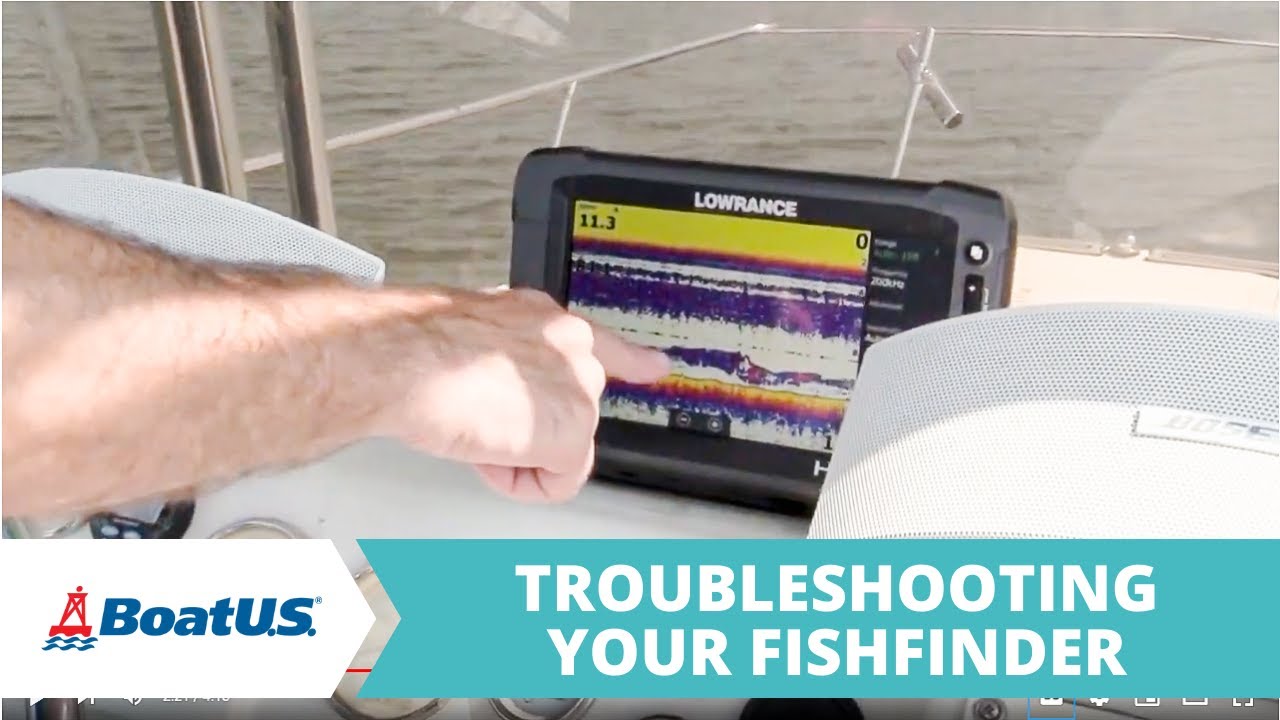
Common signs of a fish finder transducer problem
Before learning how to troubleshoot a fish finder transducer not working issue, identify the symptoms. The display may show no depth, missing fish arches, a blank sonar screen, or an error message about the transducer.
Different symptoms point to different causes. A complete loss of sonar usually suggests a connection or hardware problem, while inaccurate readings may come from mounting location, interference, or settings.
- ✦ No depth reading
The fish finder cannot detect the bottom because the transducer is not sending or receiving sonar signals.
- ✦ Intermittent sonar
A loose connector, damaged cable, or vibration problem may cause the signal to appear and disappear.
- ✦ Incorrect depth or weak images
Poor installation angle, dirty surfaces, or incorrect sonar settings can reduce performance.
Why early diagnosis saves money
Replacing a transducer should be the last step. A simple inspection can often reveal the real cause and prevent unnecessary spending on new marine electronics.
Check power supply and transducer connections first
The first step in any fish finder transducer not working how to troubleshoot process is checking the basic connections. A transducer cannot work if the fish finder does not receive stable power or a clean signal path.
Inspect the power cable, fuse, battery connections, and transducer plug. Saltwater exposure can create corrosion that blocks electrical flow, especially on boats used often in coastal areas of the United States.

- ✦ Inspect the plug
Remove the transducer connector and check for bent pins, moisture, dirt, or corrosion.
- ✦ Check the cable
Look for cuts, crushed sections, or areas where the cable has rubbed against sharp boat surfaces.
- ✦ Test the power source
Confirm the battery and fish finder receive steady voltage during operation.
Cleaning electrical connections
Use a manufacturer-approved electrical cleaner and allow connectors to dry fully before reconnecting. Avoid forcing damaged plugs together because this can create bigger problems.
Inspect transducer installation and mounting position
A poorly mounted transducer is one of the most common reasons behind a fish finder transducer not working how to troubleshoot search. The unit needs clean water flow to send accurate sonar signals.
A transducer mounted too high, tilted incorrectly, or placed near turbulence from the boat hull may lose bottom readings at higher speeds.

- ✦ Check the angle
The transducer face should sit correctly in the water and follow the manufacturer’s installation instructions.
- ✦ Look for air bubbles
Turbulent water or bubbles passing under the transducer can interrupt sonar signals.
- ✦ Remove buildup
Clean algae, dirt, and marine growth from the transducer surface.
Why installation matters
Even a high-quality transducer will perform poorly if it cannot maintain contact with clean water. Proper placement improves depth readings and fish detection.
Test whether the transducer itself is damaged
If connections and installation look correct, the next step in fish finder transducer not working how to troubleshoot is checking the transducer hardware. Internal damage can stop sonar transmission even when the display works normally.
Cracks, impact marks, and water damage are warning signs. A transducer that has hit rocks, docks, or underwater objects may need replacement.

- ✦ Check for visible damage
Inspect the housing, face, and cable entry point for cracks or separation.
- ✦ Use compatible testing methods
Follow the fish finder brand instructions for resistance tests or diagnostic tools.
- ✦ Compare with a known working unit
Testing with compatible equipment can help confirm whether the transducer has failed.
When replacement makes sense
A damaged transducer usually cannot be repaired reliably. Replacement is often the safest option when the sensor element or sealed housing fails.
Review fish finder settings and software updates
Sometimes the transducer works but the fish finder settings hide the information. Incorrect frequency, sensitivity, depth range, or sonar mode can make a working system appear broken.
When researching fish finder transducer not working how to troubleshoot, remember that software settings are part of the system. Modern units rely on menus and updates to manage sonar performance.

- ✦ Reset sonar settings
Restore factory settings to remove accidental changes that affect readings.
- ✦ Select the correct transducer
Confirm that the fish finder recognizes the installed transducer model.
- ✦ Update firmware
Install approved updates that improve compatibility and performance.
Avoiding false diagnoses
A blank screen does not always mean a failed transducer. Checking settings prevents unnecessary replacement costs.
Reduce sonar interference and signal problems
Electrical noise from pumps, motors, batteries, and other electronics can interfere with sonar performance. This can make a working transducer look like it has failed.
A proper fish finder transducer not working how to troubleshoot approach includes checking nearby devices and cable routing. Keep transducer cables away from sources of electrical interference when possible.

- ✦ Separate cables
Keep sonar cables away from power cables and other electronics.
- ✦ Check nearby equipment
Turn off other devices temporarily to identify possible interference.
Testing on the water
Test the fish finder while moving at different speeds. Some problems only appear when water flow changes around the hull.
Frequently Asked Questions about fish finder transducer not working how to troubleshoot

fishingscouty
Contributor