When anglers search for fish finder losing sonar signal how to troubleshoot, they usually need a fast way to find the fault before a trip is ruined. A fish finder depends on a steady connection between the display unit, power source, and transducer. A small issue in any part of this system can stop sonar readings.
After working with marine electronics, one lesson becomes clear: most sonar signal problems are simple fixes. A dirty transducer face, a loose plug, or a bad mounting angle can create the same symptoms as a major failure. A careful inspection usually saves time and money.

Common Reasons a Fish Finder Loses Sonar Signal
Understanding the cause is the first step in learning fish finder losing sonar signal how to troubleshoot. Sonar works by sending sound waves through a transducer and receiving echoes from underwater objects. If that process breaks, the screen may show no depth, weak readings, or a blank sonar display.
Most failures come from a few areas. These include power supply problems, damaged cables, poor transducer placement, water damage, and incorrect sonar settings.
- ✦ Loose cable connections
A loose power or transducer connector can interrupt communication and cause the sonar signal to disappear.
- ✦ Transducer damage
Cracks, dirt, marine growth, or physical impact can reduce the transducer’s ability to send and receive sonar waves.
- ✦ Electrical problems
Low battery voltage or poor wiring can make the fish finder restart or lose sonar output.
How sonar signal loss appears on the screen
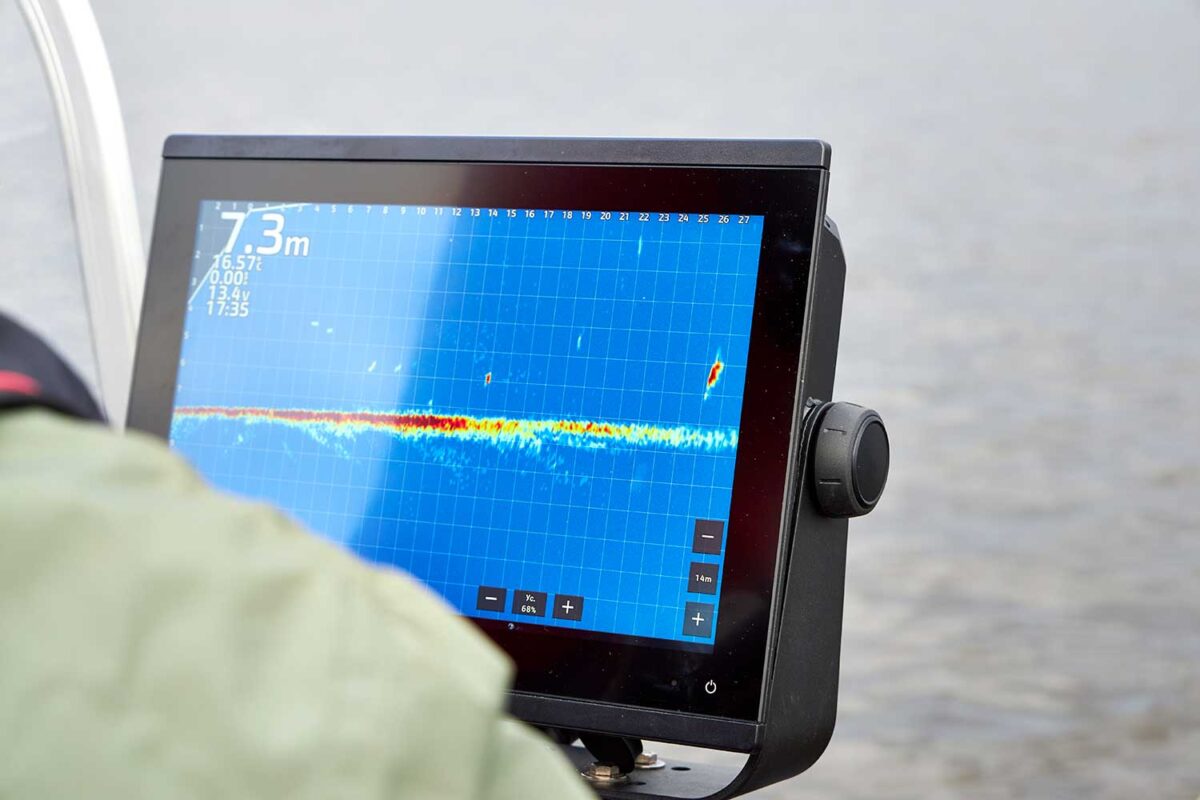
A fish finder losing sonar signal may show a flat screen, missing depth numbers, random lines, or weak fish arches. These signs help narrow down the problem before replacing parts.
- ✦ No depth reading
The unit cannot receive a usable echo from the transducer.
Inspect the Transducer First
The transducer is the heart of any sonar system. When researching fish finder losing sonar signal how to troubleshoot, checking the transducer should be one of the first steps because it creates the sonar pulse.
Look for damage, heavy algae buildup, loose mounting brackets, or a position that allows air bubbles to pass under the sensor. Even a small amount of turbulence can weaken sonar performance.

- ✦ Clean the transducer
Remove dirt, slime, and growth with a soft cloth. Avoid harsh tools that can damage the sensor surface.
- ✦ Check mounting position
Make sure the transducer sits flat and stays in clean water while the boat moves.
Why air bubbles interrupt sonar
Sonar signals travel through water, not air. Bubbles under the transducer can scatter the signal and create missing readings or weak returns.
Check Power Supply and Wiring Connections
Many anglers focus on the sonar sensor but overlook power problems. A fish finder needs stable voltage to operate correctly. Weak batteries or corroded terminals can cause signal loss.
Inspect the power cable from the display unit to the battery. Look for cuts, loose terminals, corrosion, or connections that move when touched.

- ✦ Test battery voltage
A multimeter can confirm whether the battery provides steady power during operation.
- ✦ Inspect connectors
Clean corrosion and make sure all plugs lock firmly into place.
Avoid electrical interference
Other boat electronics can create interference. Keep sonar cables away from noisy electrical equipment when possible.
Review Fish Finder Settings and Software
Incorrect settings can make a working sonar system appear broken. When learning fish finder losing sonar signal how to troubleshoot, always confirm that sonar is enabled and the correct transducer type is selected.
Some units allow users to turn sonar off, change frequency, or adjust sensitivity. Wrong settings may reduce signal strength or hide underwater returns.
- ✦ Reset sonar settings
A factory reset can remove accidental changes that affect sonar operation.
- ✦ Update firmware
Manufacturers often release updates that improve system stability.
Troubleshoot Signal Loss While on the Water
If your fish finder loses sonar during a trip, use a simple process instead of guessing. Stop the boat, check the display, and confirm whether the problem happens at all speeds or only while moving.
Speed-related problems often point to transducer placement or turbulence. Problems that happen while stopped may point toward wiring, settings, or hardware failure.

- ✦ Restart the unit
A simple power cycle can clear temporary software errors.
- ✦ Test different speeds
Compare readings while drifting and moving to identify mounting problems.
When professional repair may be needed
If cables, power, and the transducer appear normal, the display unit or internal electronics may need service. Avoid opening sealed marine electronics unless you have the correct experience.
Prevent Future Fish Finder Sonar Problems
Preventive care is the easiest answer to fish finder losing sonar signal how to troubleshoot because it reduces failures before they happen. A few minutes of maintenance after each trip can protect your equipment.
Keep connectors dry, rinse saltwater from marine electronics, and inspect the transducer mount often. These habits are especially important for anglers who fish coastal waters in the United States.
- ✦ Clean after saltwater use
Salt buildup can damage connectors and reduce equipment life.
- ✦ Store cables properly
Avoid sharp bends and stress points that can break internal wires.
Frequently Asked Questions about fish finder losing sonar signal how to troubleshoot

fishingscouty
Contributor