learning how to identify fish on sonar can change the way you fish. A sonar screen does not show a simple underwater photo. Instead, it displays signals created when sound waves bounce off objects below your boat.
Many anglers in the United States use fish finders on lakes, rivers, and coastal waters. The key is knowing what real fish signals look like and separating them from rocks, plants, bubbles, and other underwater objects.
After years of studying sonar screens, one lesson stands out: patience matters. The best anglers do not just look for fish icons. They learn how sonar works and understand the story behind each mark on the display.

Understanding What Fish Look Like on a Sonar Screen
The first step in learning how to identify fish on sonar is understanding that fish do not always appear the same way. Their appearance changes based on sonar frequency, boat speed, water depth, and screen settings.
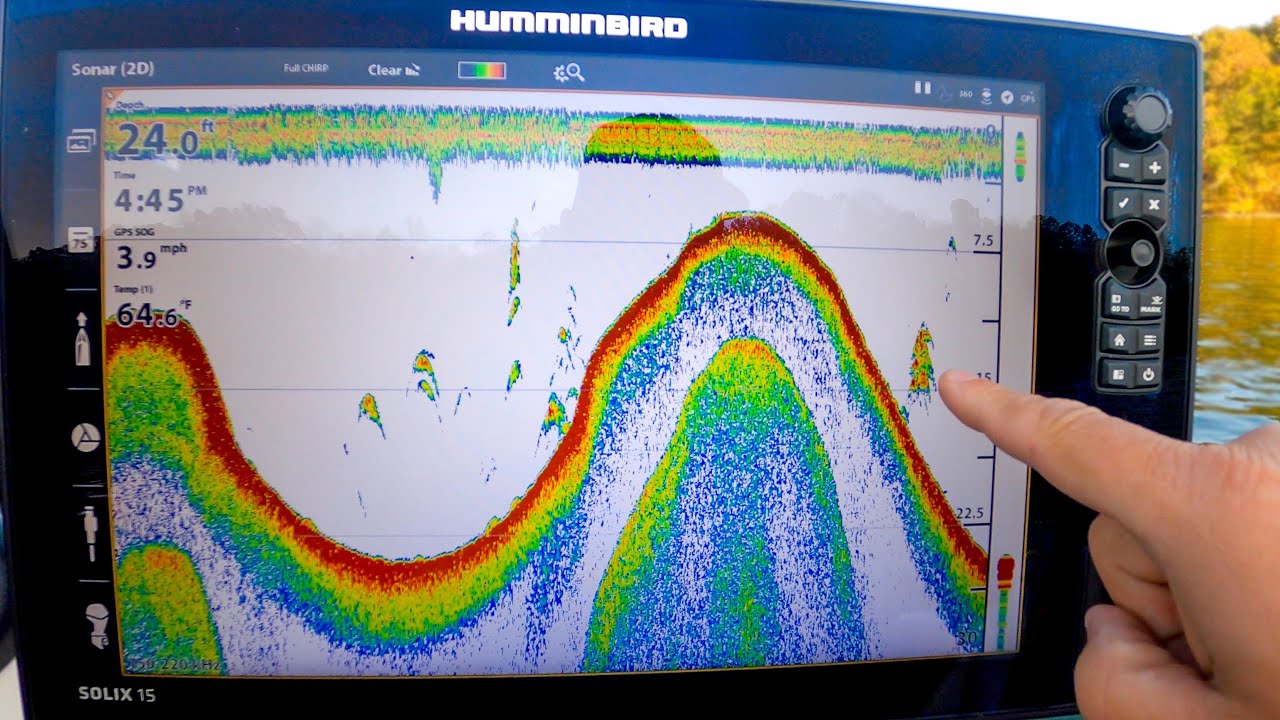
Traditional sonar often shows fish as curved arches. A fish creates an arch because it enters the sonar beam, moves through the strongest area, and leaves the beam. Larger and slower-moving fish usually create clearer marks.

- ✦ Fish arches
A classic fish arch appears when a fish passes through the sonar cone. Full arches are easier to see when the boat moves at a steady speed.
- ✦ Fish lines
Vertical or short lines may appear when fish move quickly, stay near the edge of the sonar beam, or when settings are adjusted differently.
- ✦ Fish symbols
Fish ID features convert sonar returns into icons, but experienced anglers often prefer raw sonar views because they provide more detail.
Why Fish Arches Are Important
A strong arch usually means a fish moved through the sonar beam. However, not every arch is a catchable fish. A suspended log, plant, or other object can sometimes create similar signals.
- ✦ Check location
Fish near structure, bait, or the right depth are more likely to be worth targeting.
How Sonar Technology Detects Fish Underwater
To understand how to identify fish on sonar, it helps to know how sonar works. A transducer sends sound pulses into the water and listens for echoes that return from fish, the bottom, and other objects.
The fish finder turns these echoes into images on the display. Hard objects return stronger signals, while softer objects create weaker signals.
- ✦ Transducer signal
The transducer sends and receives sound waves that create the sonar image.
- ✦ Echo strength
Strong echoes often appear brighter or more intense on the screen.
- ✦ Depth information
Depth readings help anglers understand where fish are holding in the water column.
Common Sonar Views
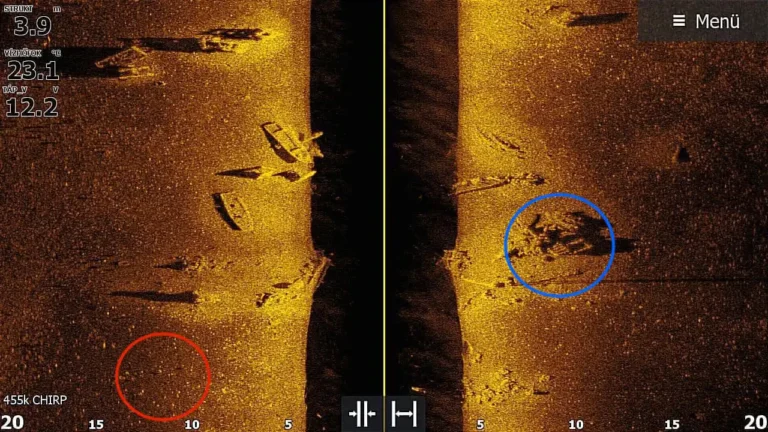
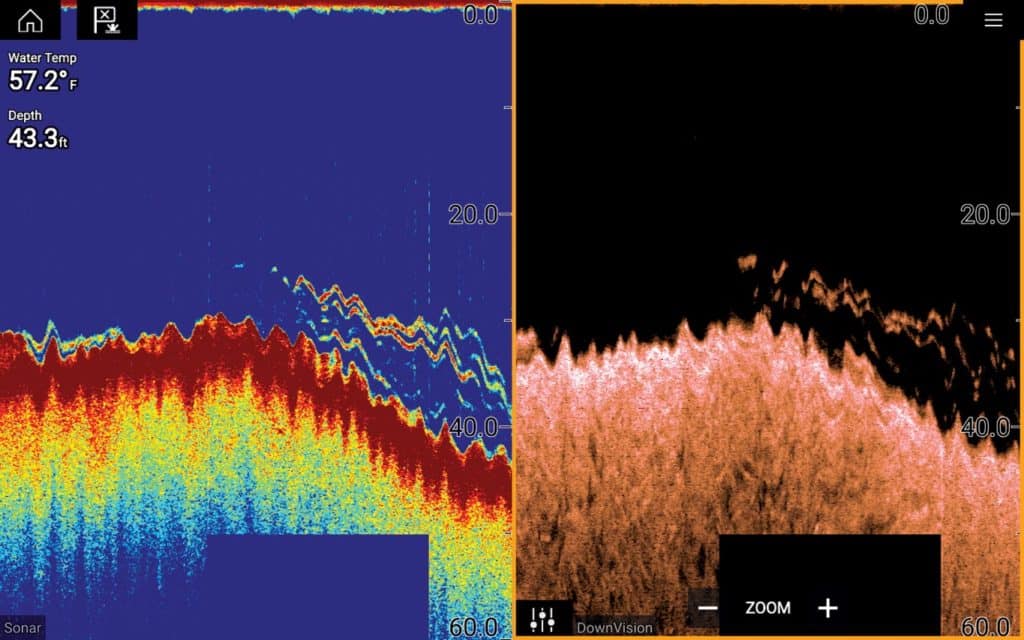
Different sonar technologies show fish in different ways. Traditional 2D sonar displays arches, while down imaging and side imaging provide more detailed underwater views.
- ✦ 2D sonar
Best known for showing fish arches and depth changes.
- ✦ Down imaging
Shows a more picture-like view directly below the boat.
How to Tell Fish From Other Sonar Objects
One of the hardest parts of learning how to identify fish on sonar is avoiding false readings. Many objects underwater can look similar to fish signals.
Experienced anglers study the full picture. They look at fish marks, depth, bottom hardness, nearby cover, and bait activity before making a decision.

- ✦ Bait balls
Small fish often appear as clouds or clusters of dots because many fish are packed together.
- ✦ Vegetation
Plants usually create thicker areas rising from the bottom instead of clean fish arches.
- ✦ Rocks and structure
Hard bottoms and rocks often create strong returns connected to the lake floor.
Using Context to Confirm Fish
A single mark is not always enough evidence. If fish appear near drop-offs, ledges, points, or bait schools, the chances of finding active fish increase.
- ✦ Look for patterns
Repeated fish marks in the same area provide better clues than one isolated signal.
Reading Colors and Settings on a Fish Finder
Color settings help anglers understand sonar returns. Bright colors usually represent stronger echoes, while softer colors show weaker returns.
Learning how to identify fish on sonar requires adjusting sensitivity, contrast, and depth range for different fishing conditions.
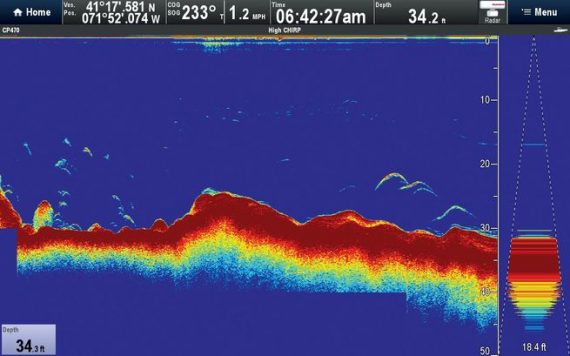
- ✦ Sensitivity
Higher sensitivity shows more details but may also create extra noise on the screen.
- ✦ Color palette
Different palettes help anglers separate fish from background signals.
- ✦ Zoom settings
Zooming into a specific depth range can make small fish easier to identify.
Avoiding Overdependence on Fish Icons
Fish ID icons can help beginners, but they are not perfect. The system guesses what a sonar return may represent, and mistakes can happen.
- ✦ Learn raw sonar
Reading original sonar returns builds stronger skills over time.
Practical Tips for Better Fish Identification
The best way to improve at reading sonar is to spend time comparing your screen with real fishing results. Mark productive areas and study what the sonar showed before catching fish.
Small adjustments can create major improvements. A properly installed transducer and correct settings often make a bigger difference than buying expensive equipment.
- ✦ Maintain steady boat speed
Consistent movement helps create clearer fish arches.
- ✦ Learn local fish habits
Different species use different depths and structures.
- ✦ Save sonar screenshots
Reviewing old images helps build recognition skills.
Practice Makes Sonar Reading Easier
Many anglers become confident after several trips because they learn how their own fish finder displays local conditions.
- ✦ Keep learning
Regular practice improves your ability to recognize useful sonar patterns.