Learning how to read fish finder signals changes the way anglers search for fish. A fish finder is not a magic fish detector. It is a sonar tool that shows what is below your boat. The real skill comes from learning how to understand those signals.
After years of studying sonar screens on freshwater lakes and coastal fishing trips, one lesson stands out: beginners often focus only on fish icons. Experienced anglers look at the full picture, including depth, bottom shape, water changes, and cover.

Understanding How Fish Finder Signals Work
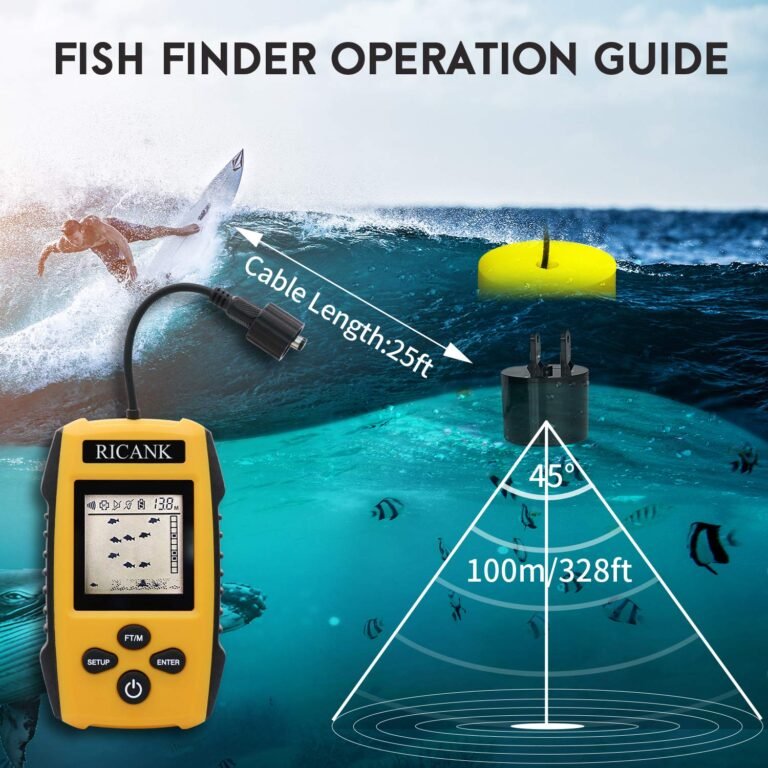
Before learning how to read fish finder signals, it helps to understand what the screen shows. A fish finder sends sound waves from a transducer under the boat. These waves travel through water and bounce back when they hit objects.
The device turns those returning echoes into images. Strong echoes appear brighter or darker depending on the display type. The screen may show fish, rocks, weeds, trees, and changes in the lake bottom.
- ✦ Transducer
The transducer sends sonar pulses and receives the echoes that create the fish finder display.
- ✦ Sonar Return
The return signal shows how strong an object appears under the boat.
- ✦ Display Screen
The screen converts sonar information into visual patterns that anglers can read.
Why sonar signals look different
Fish finder signals change because underwater objects reflect sound in different ways. A hard rock bottom creates a stronger return than soft mud. A large tree may create a wider signal than a small fish.
Water depth, boat speed, frequency, and sensitivity settings also affect the image. This is why every screen takes practice to understand.
How to Read the Main Parts of a Fish Finder Screen
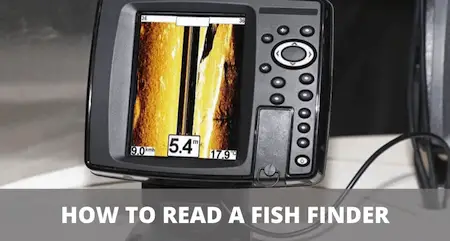
A fish finder screen contains several important areas. The top of the display usually represents the water surface, while the bottom shows the area beneath your boat. Reading these sections together gives you a better view of underwater conditions.
When learning how to read fish finder signals, avoid looking for only one clue. A good fishing decision usually comes from several signals matching at the same time.
- ✦ Depth Reading
Depth numbers show how far the sonar reaches below your boat and help you find productive fishing zones.
- ✦ Bottom Line
The bottom line reveals the lake or ocean floor and helps identify hard or soft areas.
- ✦ Water Column
The space between the surface and bottom can reveal fish, bait, and suspended objects.
Reading the bottom signal
The bottom signal is one of the most important parts of any sonar image. A thick, bright bottom return often suggests hard ground such as rock or gravel. A thin, weaker return may indicate softer areas like sand or mud.
Many anglers use bottom changes to find fish because transitions often attract bait and predators.
How to Identify Fish Arches and Fish Marks
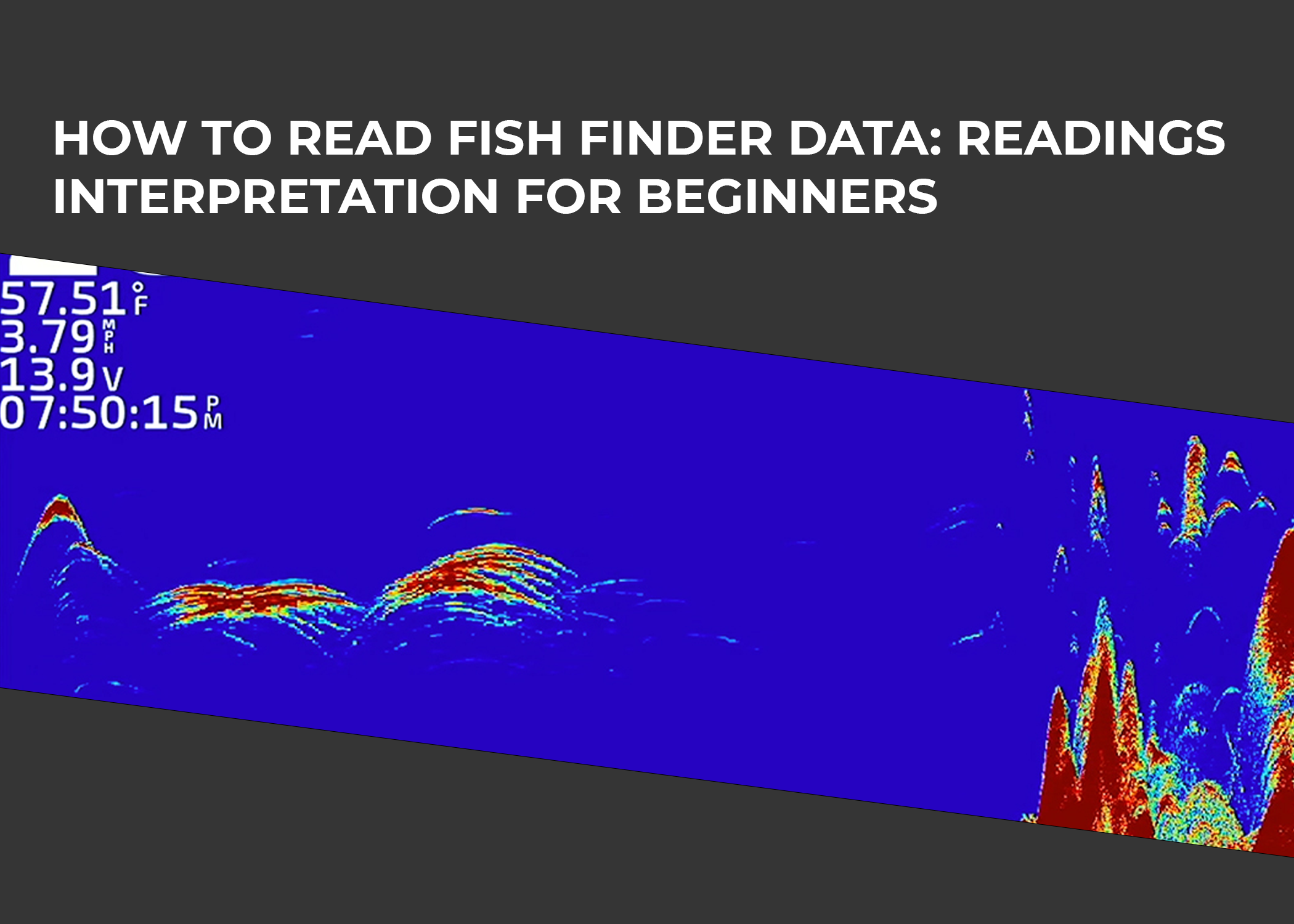
One of the most common questions about how to read fish finder signals is how to recognize fish. Traditional sonar often shows fish as arches because a fish enters the sonar beam, passes through the center, and leaves the beam.
A complete arch usually means the fish stayed in the sonar cone longer. Short lines, dots, or partial arches can also represent fish, especially when the boat moves quickly.

- ✦ Full Arch
A curved mark often indicates a fish moving through the sonar beam.
- ✦ Half Arch
A partial mark may happen when a fish only crosses part of the sonar cone.
- ✦ Fish Symbols
Automatic fish icons are helpful but should not replace learning raw sonar images.
Why fish icons can be misleading
Many modern fish finders offer fish identification symbols. These features can help beginners, but they are not always accurate. The device may mistake weeds, bubbles, or debris for fish.
Experienced anglers often prefer reading the original sonar return because it provides more detail.
Understanding Colors, Strength, and Sonar Settings
Colors on a fish finder represent signal strength. Bright colors usually show stronger returns, while weaker colors represent smaller or softer targets. The exact colors depend on the brand and display mode.
Learning how to read fish finder signals also means learning your settings. Small changes to sensitivity, contrast, and frequency can completely change what you see.
- ✦ Sensitivity
Higher sensitivity shows more detail but may add extra noise to the screen.
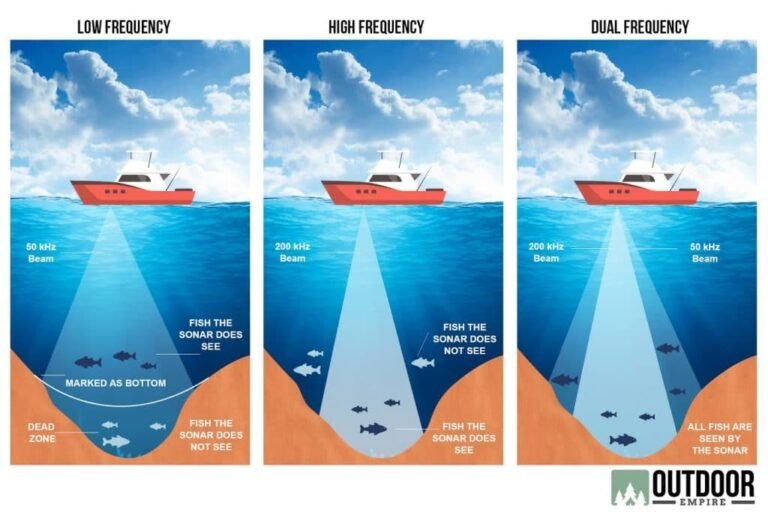
- ✦ Frequency
Higher frequencies often provide more detail, while lower frequencies reach deeper water.
- ✦ Chart Speed
The correct scrolling speed helps match screen movement with boat speed.
How to Read Underwater Structure and Find Fish Habitats
Fish often gather around underwater features. Learning how to read fish finder signals means learning to recognize places where fish are likely to hold, such as drop-offs, brush piles, channels, and rock piles.
A sonar screen does more than show fish. It helps you understand the underwater world and make smarter choices about where to cast.

- ✦ Drop-Offs
Sudden depth changes can attract fish because they provide travel routes and feeding areas.
- ✦ Vegetation
Weed lines can provide shelter for baitfish and larger predators.
- ✦ Brush and Cover
Submerged trees and artificial structures often appear as irregular shapes above the bottom.
Using side imaging and down imaging
Side imaging helps anglers scan wide areas beside the boat. Down imaging creates a more detailed picture directly below the transducer.
These tools work best when combined with traditional sonar. Each view provides different information about fish location and structure.
Common Fish Finder Reading Mistakes to Avoid
Many new anglers struggle because they expect the fish finder to clearly show every fish below the boat. Sonar requires interpretation, and mistakes are part of the learning process.
Knowing common errors can help you improve faster and spend more time fishing productive areas.
- ✦ Ignoring Boat Speed
Speed changes how objects appear and can make fish marks harder to interpret.
- ✦ Using Automatic Settings Only
Automatic modes help, but manual adjustments often provide clearer images.
- ✦ Following Every Fish Mark
A fish mark does not always mean active feeding fish. Look for the full situation.