If you have ever looked at a fish finder screen and wondered what do arches mean on a fish finder, you are not alone. Many anglers see curved marks on their sonar display but are unsure if they represent fish, bait, or underwater objects. Understanding these shapes helps you make better decisions on lakes, rivers, and coastal waters across the United States.
In my experience helping anglers understand sonar displays, the biggest mistake is treating every mark as a guaranteed catch. A fish finder is a tool that shows sonar returns. Learning how those returns form is the key to using your electronics with confidence.
Understanding What Fish Finder Arches actually Represent
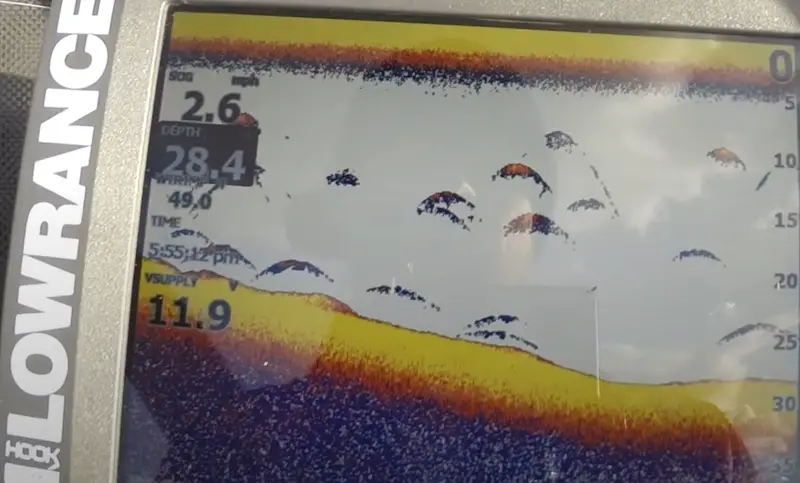
When asking what do arches mean on a fish finder, the simple answer is that arches are sonar images created when a fish moves through the sonar beam. The transducer sends sound waves into the water, and the returning echoes create marks on the screen.
The arch shape happens because the distance between the transducer and the fish changes as your boat passes over it. The fish appears farther away at the beginning and end of the contact, while the strongest return appears in the middle.

- ✦ Sonar signal return
The fish reflects sound waves back to the transducer, creating a visible mark on the display.
- ✦ Boat movement
Your boat moving over a fish helps create the curved arch pattern on traditional sonar screens.
- ✦ Beam coverage
The shape depends on how the fish enters and leaves the sonar cone.
Why Fish Appear as Arches Instead of Dots
Traditional sonar does not capture a still picture of fish. It records changes in sonar strength over time, which creates the familiar arch shape.
A fish directly under the boat often creates a stronger and more complete arch because it spends more time inside the strongest part of the sonar beam.
How to Identify Different Types of Fish Finder Arches
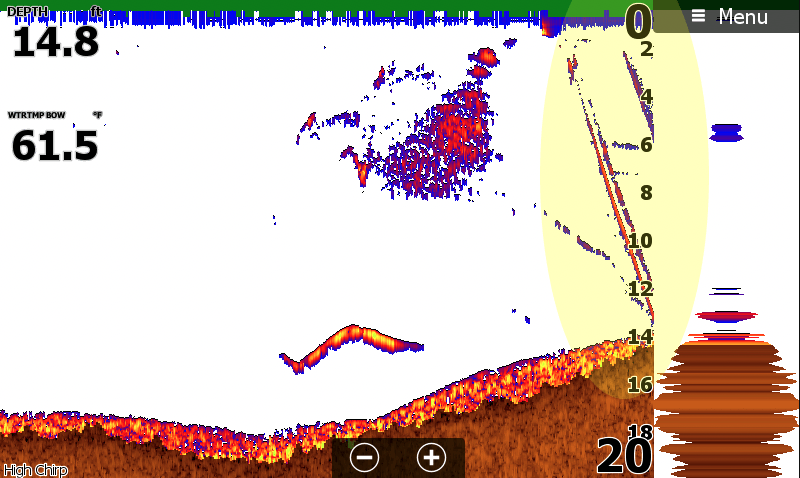
Knowing what do arches mean on a fish finder becomes easier when you learn how different arch shapes appear. A large, thick arch may indicate a stronger sonar return, while a thin line may represent a smaller fish or weaker signal.
Not every fish will create a perfect arch. Water depth, fish position, sonar frequency, and screen settings can change the appearance of targets.
- ✦ Full arches
A complete arch often appears when a fish passes through the center of the sonar beam.
- ✦ Half arches
Partial arches can happen when a fish only enters part of the sonar cone.
- ✦ Thick arches
Thicker marks may indicate a stronger return from a larger fish or a fish closer to the beam center.
Why You May Not See Perfect Fish Arches Every Time
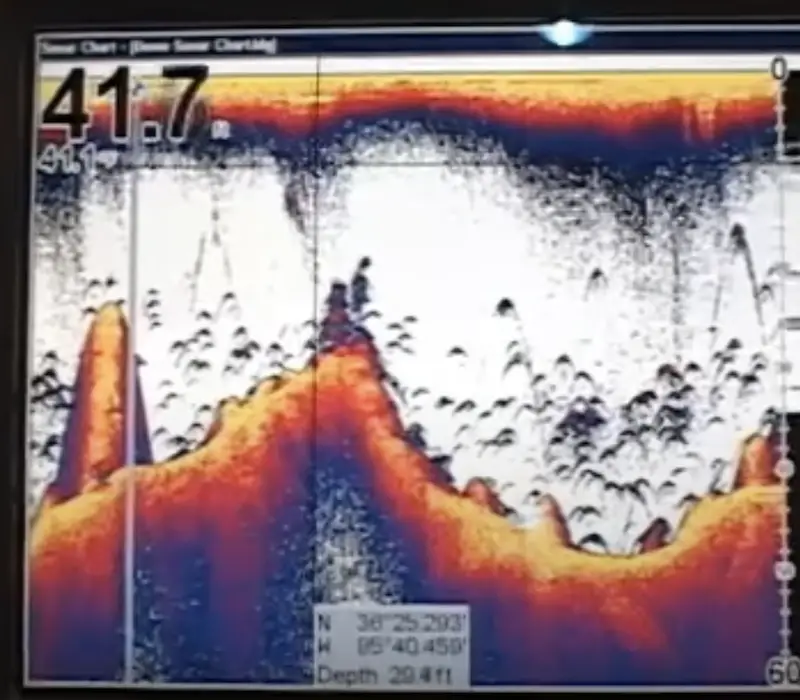
Many beginners expect every fish to create a clean curve, but real sonar conditions are more complex. Fish can appear as short lines, clouds, or weak marks depending on how they move through the beam.
When learning what do arches mean on a fish finder, remember that screen settings play a major role. A poorly adjusted display can hide useful targets or make underwater clutter look like fish.
- ✦ Fast boat speed
Moving too quickly can reduce the time fish spend inside the sonar beam.
- ✦ Low sensitivity
Low sensitivity settings can remove weaker fish returns from the display.
- ✦ Wrong depth range
A poor depth setting can make important targets harder to see.
Common Objects That Can Look Like Fish
Submerged trees, rocks, weeds, and bubbles can sometimes create marks that look similar to fish. Learning the difference takes practice and observation.
Experienced anglers compare sonar marks with location, season, water temperature, and fishing patterns before deciding whether a target is worth casting toward.
How Sonar Settings Change the Look of Fish Arches
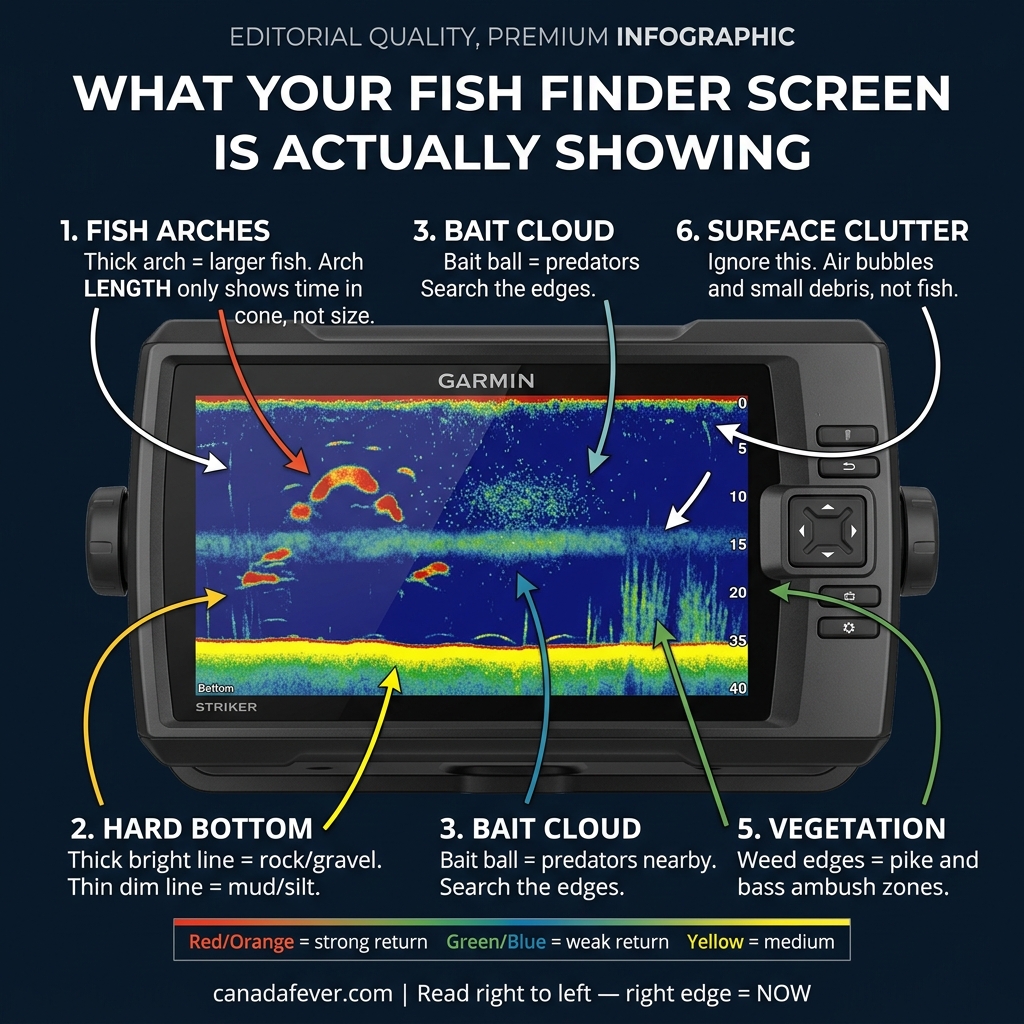
The answer to what do arches mean on a fish finder also depends on your sonar setup. Different frequencies and settings can change how clearly fish appear.
Adjusting your fish finder correctly can make arches easier to recognize and help you separate fish from bottom clutter or vegetation.
- ✦ Sensitivity adjustment
Higher sensitivity can reveal more targets but may also increase screen clutter.
- ✦ Frequency choice
Higher frequencies often provide more detail in shallow water, while lower frequencies can reach deeper areas.
- ✦ Chart speed
Matching chart speed with boat speed helps create more accurate arch shapes.
Using Fish Finder Arches to Improve Your Fishing Strategy
Understanding what do arches mean on a fish finder helps you decide where to cast and when to move. A sonar screen becomes more useful when you combine arch patterns with knowledge of fish behavior.
For example, anglers targeting bass, walleye, crappie, or saltwater species often look for fish marks near structure such as drop-offs, weed edges, and submerged cover.
- ✦ Look for fish location
Use arches to find the depth where fish are holding.
- ✦ Study patterns
Repeated sonar marks in the same area may show productive fishing zones.
- ✦ Confirm with conditions
Combine sonar readings with weather, season, and local fishing knowledge.
Traditional Sonar Arches vs Modern Fish Finder Displays
Modern fish finders may use technologies such as CHIRP sonar, Side Imaging, and Down Imaging. These systems can display fish differently from classic sonar arches.
If you are asking what do arches mean on a fish finder today, the answer depends on the technology your unit uses. Some newer displays show more detailed shapes instead of traditional arches.
- ✦ Traditional sonar
Shows classic arches based on sonar return strength over time.
- ✦ CHIRP sonar
Uses a range of frequencies to improve target separation and detail.
- ✦ Imaging sonar
Creates more picture-like views of underwater areas.