When a fish finder shows the wrong depth, it can ruin a fishing trip because depth is one of the most important pieces of information on the screen. Many anglers in the United States rely on accurate sonar readings to locate structure, avoid shallow water, and find productive fishing areas.
In my experience working with marine electronics, most cases of a fish finder showing incorrect depth how to troubleshoot problems come from simple issues. A loose connection, poor transducer angle, incorrect depth range, or a dirty sensor can create false readings.
This guide explains how to diagnose the problem step by step. You will learn what causes inaccurate depth readings and how to restore reliable sonar performance before buying new equipment.
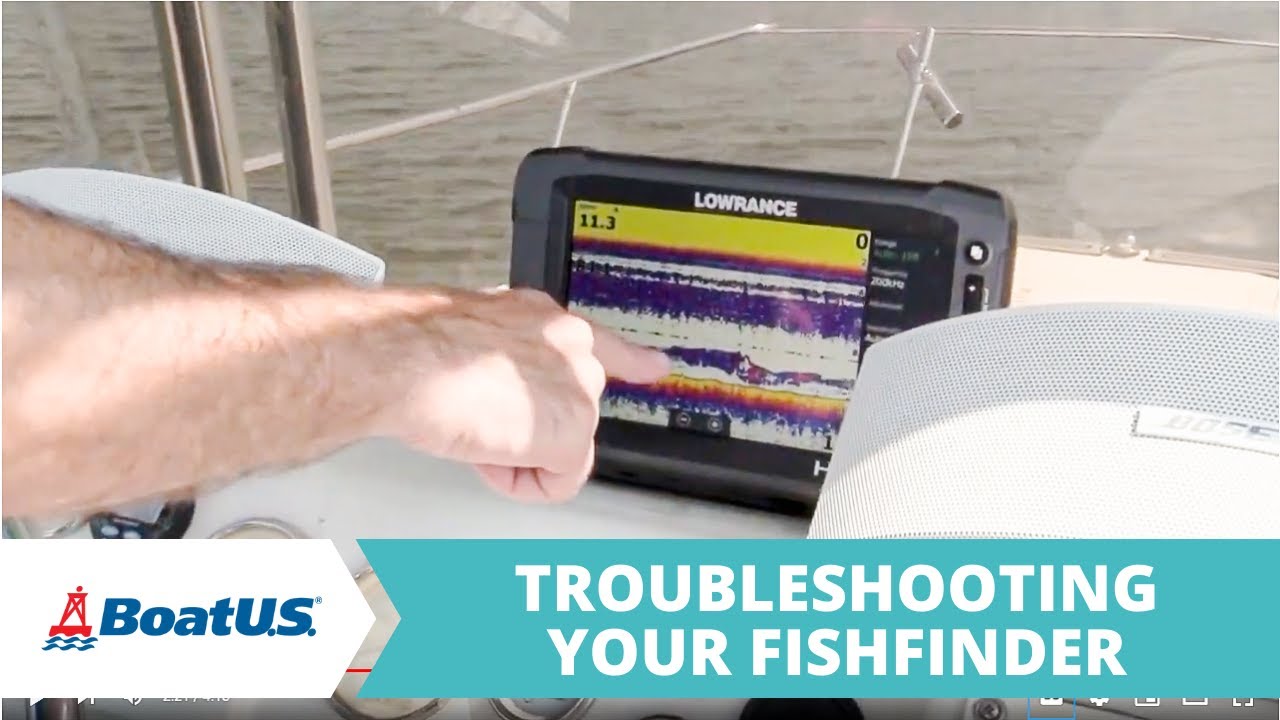
Why Is My Fish Finder Showing Incorrect Depth?
A fish finder measures depth by sending sonar waves through a transducer. The unit calculates depth by measuring how long the signal takes to return after hitting the bottom.
If the signal becomes weak, blocked, or inaccurate, the display may show the wrong depth. Understanding the cause is the first step in learning fish finder showing incorrect depth how to troubleshoot methods.
Small problems can create large errors. A few minutes of inspection can often reveal the issue.
- ✦ Transducer problems
A damaged, dirty, or poorly positioned transducer can send weak sonar signals and produce incorrect depth readings.
- ✦ Wrong sonar settings
Incorrect depth range, frequency, sensitivity, or manual settings may confuse the display.
- ✦ Electrical issues
Low voltage or poor connections can interrupt sonar performance and create unstable readings.
How Sonar Creates a Depth Reading
The transducer sends sound waves into the water. When those waves hit the bottom, they bounce back and the fish finder turns the return signal into a depth number.
Any problem that affects the signal path can change the result. This is why the transducer is the first place to check when a fish finder shows incorrect depth.
Inspect the Transducer Installation and Position
The transducer is the most common cause of incorrect depth readings. It must sit in clean water flow and point correctly toward the bottom.
A transducer mounted too high, tilted, or near turbulence may lose contact with the water. This often causes jumping depth numbers or readings that do not match the actual depth.
When testing fish finder showing incorrect depth how to troubleshoot steps, start with a physical inspection before changing settings.

- ✦ Check mounting angle
Make sure the transducer faces straight down when the boat is moving at normal speed.
- ✦ Remove marine growth
Clean algae, mud, and debris from the transducer surface because buildup blocks sonar signals.
- ✦ Look for air bubbles
Avoid mounting locations that create bubbles under the hull because air can interrupt sonar.
Common Transducer Installation Mistakes
A transducer mounted close to a propeller, strake, or rough hull area may receive noisy signals. Moving it to a cleaner water location can improve accuracy.
Many anglers replace their fish finder when the real problem is only installation. Checking placement first saves time and money.
Check Fish Finder Depth Settings and Calibration
Modern fish finders include many settings that affect how depth appears. A wrong manual setting can make the unit appear broken when it is working correctly.
Resetting sonar settings to automatic mode is a useful step when learning fish finder showing incorrect depth how to troubleshoot techniques.

- ✦ Depth range setting
Use automatic depth range first so the unit can select the correct water depth.
- ✦ Manual offset setting
Check for keel or boat offsets because incorrect values can add or remove several feet from the reading.
- ✦ Frequency selection
Choose the correct sonar frequency for your water depth and fishing conditions.
Resetting Sonar Settings
If you recently changed settings, return the unit to factory defaults. Then test it in known water with a steady bottom signal.
This simple step can fix many depth display problems without technical repairs.
Test Power Supply and Electrical Connections
A fish finder needs stable power to process sonar signals correctly. Weak batteries, corroded terminals, or loose wires can cause incorrect readings.
Electrical checks are an important part of fish finder showing incorrect depth how to troubleshoot because power problems can look like sonar failures.

- ✦ Inspect battery voltage
Confirm the battery provides steady voltage while the fish finder is running.
- ✦ Check cable connections
Make sure plugs are clean, dry, and firmly connected.
- ✦ Look for damaged wires
Replace cracked or exposed wiring that may interrupt power or signal flow.
Why Electrical Noise Affects Sonar
Other electronics on a boat can create interference. Pumps, motors, and poor wiring layouts may introduce noise into the sonar display.
Separating power sources or improving cable routing can reduce these problems.
Update Software and Check for Fish Finder Errors
Manufacturers release software updates to improve performance and fix known problems. An outdated unit may behave incorrectly after hardware changes or new accessories are installed.
Checking firmware is another useful step in fish finder showing incorrect depth how to troubleshoot because software controls how sonar data is processed.

- ✦ Install firmware updates
Use official updates from the manufacturer to improve reliability.
- ✦ Restart the unit
A full power cycle can clear temporary software errors.
When Software Is Not the Problem
If updates do not help, return to physical checks. Most incorrect depth issues still come from the transducer, wiring, or settings.
A methodical process prevents unnecessary equipment replacement.
Troubleshoot Advanced Sonar Problems
Some depth problems require deeper testing. If the basic steps fail, inspect signal quality, interference, and hardware condition.
Advanced troubleshooting helps confirm whether the issue is repairable or if a component needs replacement.

- ✦ Test in different water
Compare readings in a known depth area to see if the issue follows the boat or location.
- ✦ Check for damaged hardware
Cracks or internal damage in the transducer can permanently affect accuracy.
- ✦ Compare with another unit
A second fish finder can help identify whether the problem is the display or transducer.
Signs You May Need Professional Repair
If the screen still shows incorrect depth after all checks, the transducer or head unit may have failed.
Professional marine electronics service can test components and confirm the exact fault.
Frequently Asked Questions about fish finder showing incorrect depth how to troubleshoot

fishingscouty
Contributor